
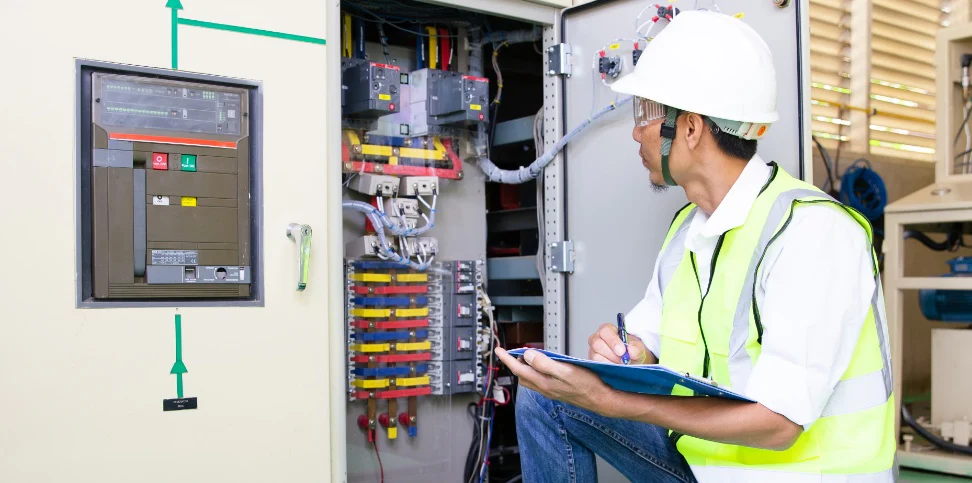
Imagine the scene. It is 2:00 PM on a Tuesday. The factory floor is humming with the sound of production. Conveyor belts are moving, robots are welding, and boxes are being packed. Suddenly, silence. A massive red light starts flashing on the main control panel. The line stops. Workers stand around looking confused. The manager runs over, looking at his watch, counting the dollars lost with every passing second of downtime. All eyes turn to you. You are the one who has to fix it.
This is the reality of working with industrial automation. At the heart of almost every modern machine is a device called a PLC, or Programmable Logic Controller. It is the brain of the operation. When it works, it is a miracle of efficiency. When it stops, it is a high-pressure puzzle that needs to be solved immediately. Troubleshooting PLCs is not just about being a computer whiz; it is about being a detective. It requires logic, patience, and a calm head. This guide is going to walk you through the art of bringing dead machines back to life. We will skip the complex engineering textbooks and use simple, plain English to explain exactly how to find the problem, fix it, and get the factory running again.
Understanding the PLC: The Brain, The Eyes, and The Hands
Before you can fix a PLC, you have to understand what it actually is. Don’t get intimidated by the flashing lights and the wires. A PLC is just a rugged industrial computer, but it works very simply. It has three main parts: Inputs, Logic, and Outputs.
Think of it like your own body. The Inputs are your senses (eyes, ears, touch). In a machine, these are sensors, buttons, and switches. They tell the PLC what is happening in the real world. For example, “There is a box on the conveyor” or “The door is closed.” The Logic is your brain. It is the program running inside the PLC. It follows a set of rules written by a programmer. For example, “If there is a box AND the door is closed, THEN turn on the motor.” The Outputs are your muscles (hands, legs). In a machine, these are motors, valves, lights, and relays. They do the actual work based on what the brain decided.
When a machine breaks, it is almost always one of these three things that failed. Either the PLC didn’t see the box (Input failure), the program got confused (Logic failure), or the motor is broken (Output failure). Troubleshooting is simply the process of testing these three areas one by one until you find the culprit. It is a game of elimination.
Safety First: The Golden Rules of Troubleshooting
I know the pressure is high. The boss is yelling, and you just want to open the panel and start wiggling wires to see if it works. Stop. Do not do that. Automation cabinets are full of electricity—often 480 volts or higher—that can kill you instantly. The machine itself is even more dangerous. If you stick your hand in a press to fix a sensor and the machine suddenly decides to start, you could lose a hand.
The number one rule of troubleshooting is Lockout/Tagout (LOTO). Before you touch anything mechanical, turn off the power and put a physical lock on the switch. Keep the key in your pocket. This ensures that nobody can accidentally turn the machine on while you are inside it.
However, with PLCs, you often need the power on to see the diagnostic lights. In this case, you must respect the “Live Wire” rules. Wear proper Personal Protective Equipment (PPE) like voltage-rated gloves and safety glasses. Never reach into a cabinet blindly. Use a meter to check if a terminal is live before you touch it. And always be aware of the machine’s motion. A hydraulic arm can drop due to gravity even if the power is off. Block it up. Safety isn’t just paperwork; it is the only way you get to go home to your family at the end of the day.
Check the Basics: Power, Run Mode, and Fault Lights
When you arrive at the broken machine, the first thing you should do is look at the PLC itself. It usually has a row of LED lights on the front. These lights are trying to talk to you. They are the machine’s way of saying “I’m okay” or “Help me.”
First, look for a Power LED. Is it on? If the PLC is dark, your problem is simple: it has no electricity. Check the power supply unit next to it. Is the breaker tripped? is the fuse blown? Often, a short circuit in a sensor field wire will blow the main fuse, killing the whole PLC.
Next, look for a Run LED. PLCs have different modes. “Run” means it is working. “Program” or “Stop” means it is paused. Sometimes, a power surge or a dying battery can cause the PLC to drop out of Run mode. If the Run light is off, you might just need to flip a switch or connect a laptop to tell it to start again.
Finally, look for the scary one: the Fault LED (often red and flashing). If this is flashing, the PLC has detected an internal error. It might be a dead battery, a memory corruption, or a loose card. If you see a red fault light, you almost certainly need to plug in a laptop to read the error code. But if the Power is on, the Run light is green, and the Fault light is off, then the brain is healthy. The problem is somewhere else.
Diagnosing Input Failures: Is the PLC Blind?
Statistically speaking, 80% of automation problems are not the PLC itself. They are the Inputs. Sensors live a hard life. They get banged by boxes, covered in oil, splashed with water, and vibrated to death. If a sensor breaks, the PLC thinks the machine is empty, so it sits there waiting forever.
Here is the trick to fixing inputs without a computer: Look at the Input Module Lights. Almost every input card has a tiny LED light for every wire connected to it. Let’s say the conveyor isn’t moving because the PLC is waiting for a “Photo Eye” to see a box. Go to the photo eye. Put your hand in front of it. Does the light on the sensor turn on? If No: The sensor is broken, or it has no power. Check the wiring at the sensor. If Yes: Great, the sensor works. Now, go look at the PLC input card. Does the light on the card turn on when you block the sensor? If No: The signal is getting lost in the wire between the sensor and the PLC. You have a broken wire or a loose terminal. If Yes: The PLC is seeing the signal perfectly. The input is fine. The problem is in the logic or the output.
This simple “Light Check” can save you hours. You trace the signal from the real world to the card. If the light makes it to the card, the input is good.
Diagnosing Output Failures: Is the Machine Paralyzed?
If the inputs are all working—the PLC knows the door is closed and the button is pushed—but the machine still won’t move, you have an Output problem. The brain is trying to move the muscle, but the muscle isn’t responding.
Again, look at the lights on the Output Card. Let’s say you want Motor Starter #1 to turn on. Look at the PLC output card light for that motor. Is the light on? Scenario A: The PLC Output Light is OFF. This means the PLC brain has decided not to turn on the motor. The problem is in the Logic (the program). Something is preventing it from starting. Maybe a safety interlock is broken? Maybe a timer hasn’t finished? You need to look at the code. Scenario B: The PLC Output Light is ON. This is a huge clue. It means the PLC is doing its job. It is sending 24 volts (or 120 volts) to the wire to tell the motor to run. But the motor isn’t running. This means the problem is “Downstream.” It is external to the PLC. Follow the wire leaving that card. Does it go to a relay? Is the relay clicking? Does it go to a motor starter? Is the overload tripped? Is the fuse for the motor blown? Is the motor itself burnt out? If the PLC light is on, stop blaming the programmer and start acting like an electrician. Trace the voltage until it stops.
Going Online: Using the Laptop as a Window
Sometimes, looking at lights isn’t enough. You have a complex machine with a hundred sensors, and you don’t know which one is holding up the process. This is when you need to “Go Online.” This means connecting a laptop with the PLC software to the machine so you can see the program running in real-time.
When you look at the screen, you will see “Ladder Logic.” It looks like an electrical schematic. Lines turn green (or red) when they are active. Find the output that isn’t working—let’s say “Main Motor Coil.” Look at the logic line driving it. You will see a series of conditions. “Start Button” (Green/Active) “Door Switch” (Green/Active) “Hydraulic Pressure OK” (OFF/Inactive)
Aha! There is your problem. The logic flow stops at “Hydraulic Pressure.” The PLC is waiting for that pressure switch. Now you know exactly what to fix. You put down the laptop, go to the hydraulic pump, and find that it is low on oil. Going online is the ultimate superpower. It removes the guesswork. However, be careful. Do not change the code unless you are 100% sure. Just watch the code. If the machine worked yesterday and it doesn’t work today, the code didn’t change (usually). A sensor broke. Use the software to find the broken sensor.
The Ghost in the Machine: Loose Wires and Electrical Noise
Sometimes, a machine does something crazy. It runs for an hour, stops for no reason, and then starts again. Or a robot arm twitches randomly. These are “Intermittent Faults,” and they are the hardest to fix. They are usually caused by loose connections or electrical noise.
The Tug Test: Vibration loosens screws. Go to the terminal blocks where the wires connect to the PLC. Gently tug on every single wire. You will be amazed how often a wire just falls out in your hand. That was your ghost. Tighten it up, and you are a hero.
Electrical Noise: PLCs operate on low voltage (24V DC). Large motors operate on high voltage (480V AC). If you run the 24V wires right next to the 480V wires in the same tray, the high voltage can “induce” a ghost voltage into the low voltage wires. The PLC might think a sensor is on when it isn’t. This causes weird glitches. Always check that low voltage and high voltage wires are separated. Also, check the “Grounding.” A PLC needs a perfect path to earth ground to get rid of static and noise. If the green ground wire is loose or corroded, the PLC brain can get scrambled.
Forcing Inputs and Outputs: A Dangerous but Useful Tool
Most PLC software has a feature called “Force.” This allows you to use your laptop to lie to the PLC. You can tell the PLC, “Pretend the door is closed,” even if the door is open. Or you can tell it, “Turn on the valve,” even if the logic says no.
This is a powerful tool for testing. If a sensor is broken and you need to run production for one hour until the new part arrives, you might “Force On” that input to bypass the broken sensor. BUT BEWARE. Forcing is dangerous. If you force a safety sensor, the machine might crush someone because it doesn’t know they are there. If you force a valve, you might spray oil on a hot engine. Only use forces if you completely understand the machine. And the most important rule: Remove all forces before you leave. If you leave a force in the program, the machine will ignore that sensor forever. Two weeks later, someone might get hurt because the safety sensor was ignored by your force. Always check the “Forces Active” light on the PLC before you walk away.
Backup and Documentation: Your Safety Net
The worst feeling in the world is plugging into a PLC and seeing that the program is empty. Maybe a lightning strike wiped the memory. Maybe the battery died. If you don’t have a backup file on a hard drive, that machine is a giant paperweight. You cannot guess the program; it has to be rewritten from scratch, which costs thousands of dollars and weeks of time.
Preventive troubleshooting means keeping backups. Every time you make a change, save a copy. Put it on a USB drive. Put it on the server. Email it to yourself. Label it “Machine 1 – Final Backup – Feb 2026.”
Also, keep the electrical drawings (prints) inside the panel. A troubleshooter without prints is blind. They don’t know which wire is which. If you are the maintenance manager, ensure that the drawings are clean, updated, and stored in the cabinet pocket. If you modify a circuit, take a red pen and draw the change on the paper. The next guy (who might be you at 3 AM) will thank you.
Conclusion: You Can Do This
Troubleshooting automation can feel overwhelming. You are standing in front of a cabinet full of blinking lights and thousands of wires, and everyone is waiting on you. It is normal to feel stress. But remember, the machine is just a machine. It follows rules. It is logical.
Start with the big picture. Is it power? Is it an input? Is it an output? Break the problem down into smaller and smaller pieces until you find the one piece that doesn’t fit. Use your eyes, use your multimeter, and use your logic. Most of the time, it is not a catastrophic computer failure; it is a loose wire, a dirty sensor, or a tripped breaker.
Take a deep breath. Follow the steps. Stay safe. You have the tools and the knowledge to solve the puzzle. And when you finally find that broken wire, tighten it down, and hear the machine roar back to life, there is no better feeling in the industrial world. You fixed the unfixable. You are the hero of the factory floor. Now, go lock out that panel and get to work.